My arcade cabinet was drawing 47 to 60 watts. All day, every day. That’s 410 to 525 kilowatt-hours a year, because the screen never went to sleep and the display, CPU and disks ran around the clock.
The screen saver wasn’t working, and that’s almost certainly my own failing. LaunchBox and BigBox have a lot of esoteric settings, and I never found the right combination.
So I tried letting the computer sleep. When it did, my zero-delay encoder wouldn’t wake the damn thing back up.
To add insult to injury, when attract mode started playing sound, I had to walk over to the cabinet from whatever room I was in to turn it down.
What I wanted
Schedule everything about it. Shut it down and mute it by voice. Keep it powered off when I’m traveling, without having to remember to unplug it.
That’s a Home Assistant job. We’re an Apple household, so it runs alongside HomeKit, and voice means Siri.
ha-arcade-pc-agent
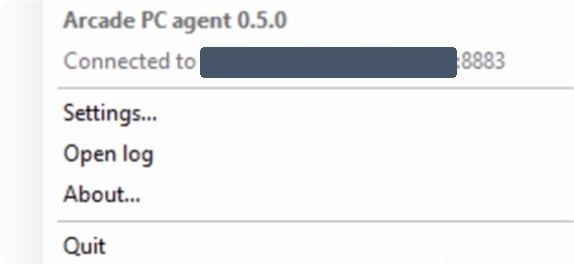
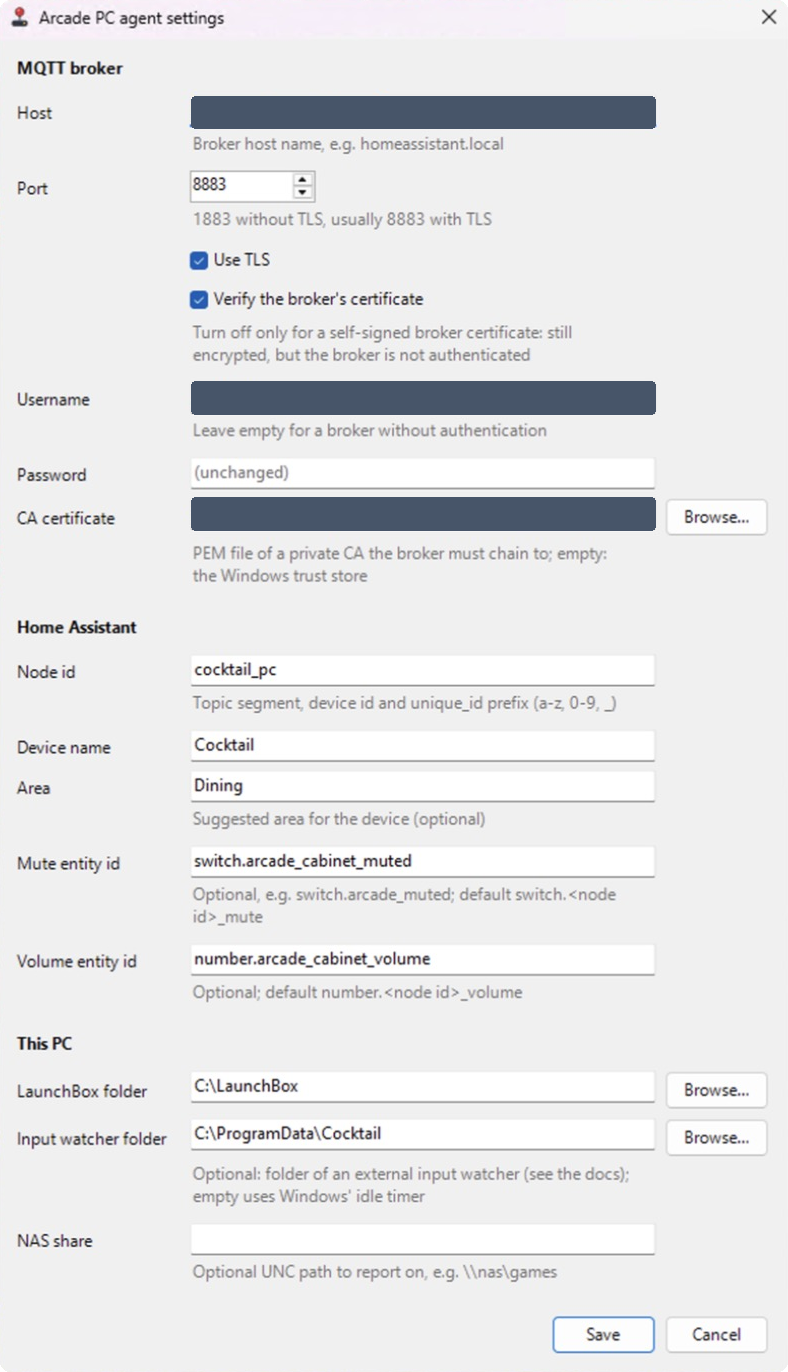
ha-arcade-pc-agent is a small Windows tray app that talks to Home Assistant over MQTT. Point it at your broker and the cabinet shows up as a device.
HASS.Agent exists, but I wanted very specific functionality, and in my setup it also wanted a certificate revocation list on my private CA. I was too lazy to do that for one host, so I wrote my own agent, which was a lot more work. Yes, I see the irony. Mine checks the broker’s certificate against my CA’s PEM file and doesn’t check revocation. A private CA usually publishes no revocation list anyway.
- Screen on and off. It blanks the monitor and leaves the PC running, so nothing has to wake up.
- Volume and mute, both ways, within about a second.
- Shut down, restart, close the emulators, restart BigBox. Every close asks politely first, so emulators and BigBox save their state.
- Health sensors: last input, stuck input, last boot, free disk space, pending reboot.
The stuck-input sensor earned its keep. A held button means the cabinet never looks idle, so the overnight shutdown and the screen timeout quietly stop working. A stuck button did that to me once. Home Assistant now pings my phone if one stays held for ten minutes.
I wanted it reusable, so it grew some options: a tray settings window, settable names and entity ids, plain MQTT or TLS with a private CA or a self-signed certificate, and an installer that also runs silently or over SSH.
launchbox-mqtt
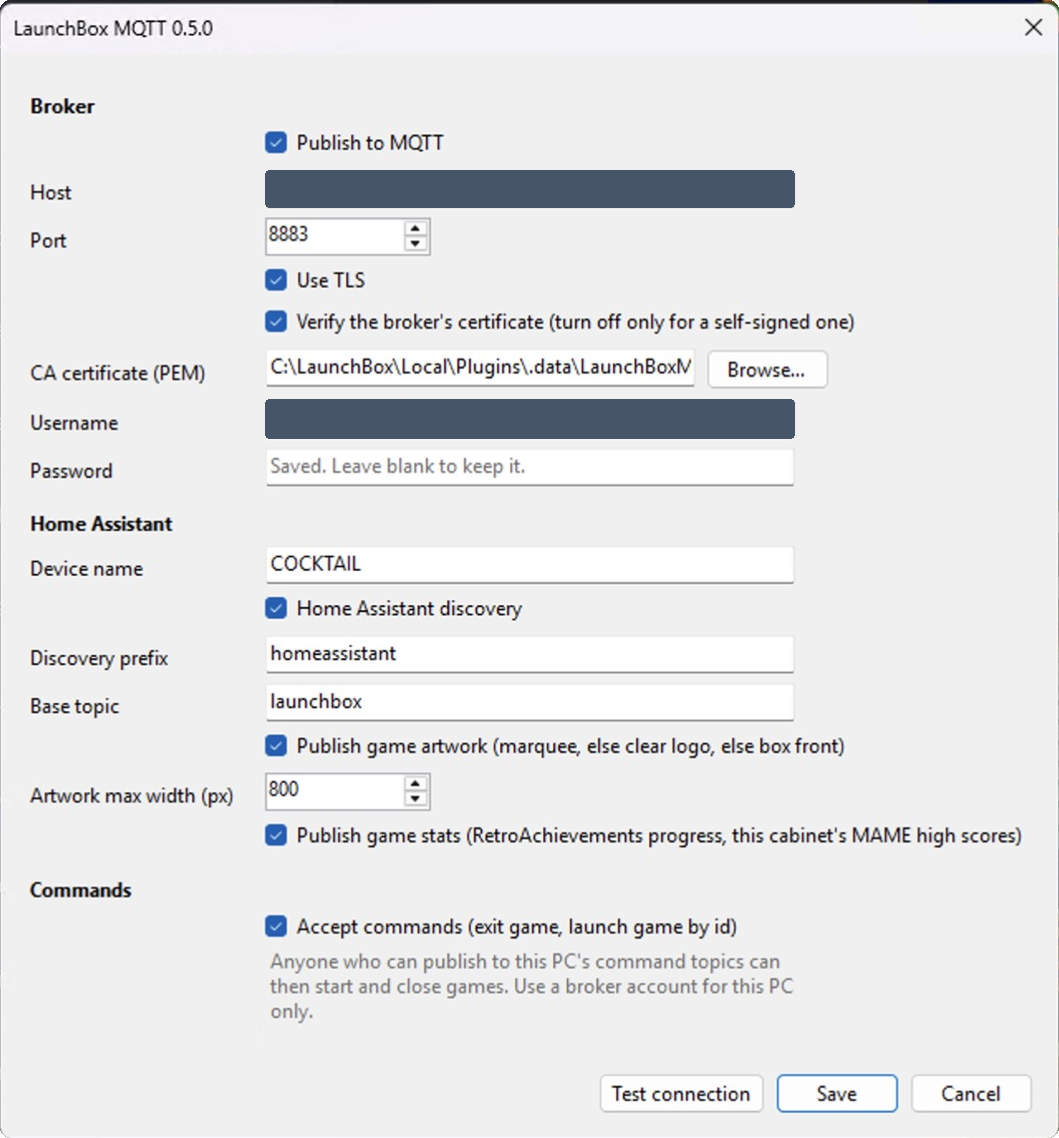
The agent can’t see inside LaunchBox. launchbox-mqtt can. It’s a plugin that runs inside LaunchBox and BigBox. Enter your broker’s details and a LaunchBox device shows up in Home Assistant through MQTT discovery.
Why MQTT? Home Assistant dashboards are neat and all, and it’s useful for automations to know whether LaunchBox or BigBox is actually doing anything. But MQTT is also a good place to pass things along. Someday I might hang an external scoreboard marquee off it, or send a house-wide chime when somebody breaks a high score. I’m not there yet. Maybe when I’m really bored.
It reports the game being played (title, platform and so on), whether BigBox is open, in attract mode or locked, and the last session. The device goes unavailable when LaunchBox exits or the PC loses power. It’s event-driven, so nothing polls. I looked for a maintained plugin and didn’t find one.
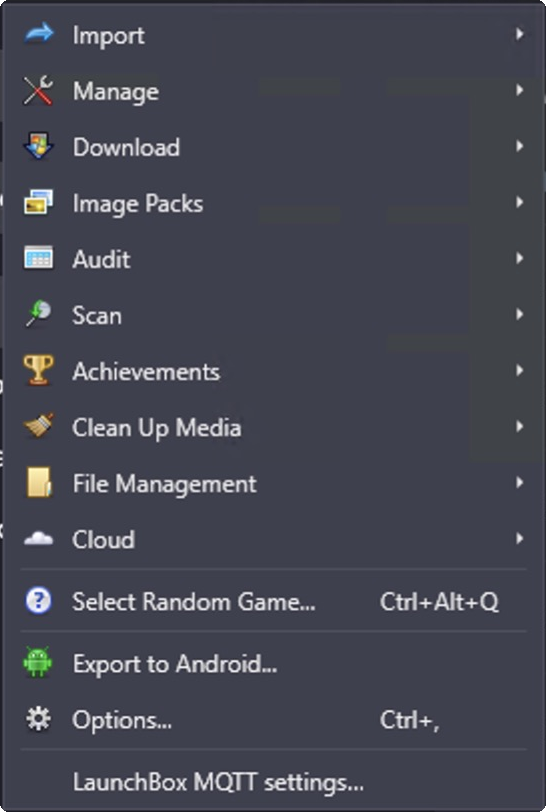
A few extras are off by default: game artwork, achievements and high scores (the bit that chime would hang on), and commands to exit the current game or launch one by its id. Commands take an id and nothing else, never a path or a command line. It has its own settings window under the Tools menu, and a silent installer.
Putting it together with a plug
The last piece is a Third Reality plug (affiliate link, details below) on the cabinet’s power. It’s Zigbee, so it reaches Home Assistant through Zigbee2MQTT, and it reports power and energy. Now I can see what the cabinet actually draws.
Affiliate link: my wife gets a small commission, at no extra cost to you. (I'm too lazy to set up my own account.) Her channel is Kelly Whicker Cards.
The cabinet decides when it’s idle. Home Assistant only handles the power.
- Overnight, after 30 minutes with no input, the PC closes the emulator and BigBox and shuts Windows down.
- Home Assistant cuts the plug once Windows is really gone: the PC has stopped answering and the plug reads idle-level power, both for two minutes. It never cuts power while Windows is running, because that’s a hard power-off.
- At 08:30 it turns the plug back on, and the BIOS boots the cabinet when power returns.
- Vacation Mode shuts it down and skips the morning power-on until I’m back. No more remembering to unplug it.
During the day, after 20 minutes of nobody touching the menu, the agent blanks the screen. A real button press wakes it.
Apple Home only gets the plug and the mute switch. Shutdown and restart stay in Home Assistant, because they’re far too easy to hit by accident from a phone.
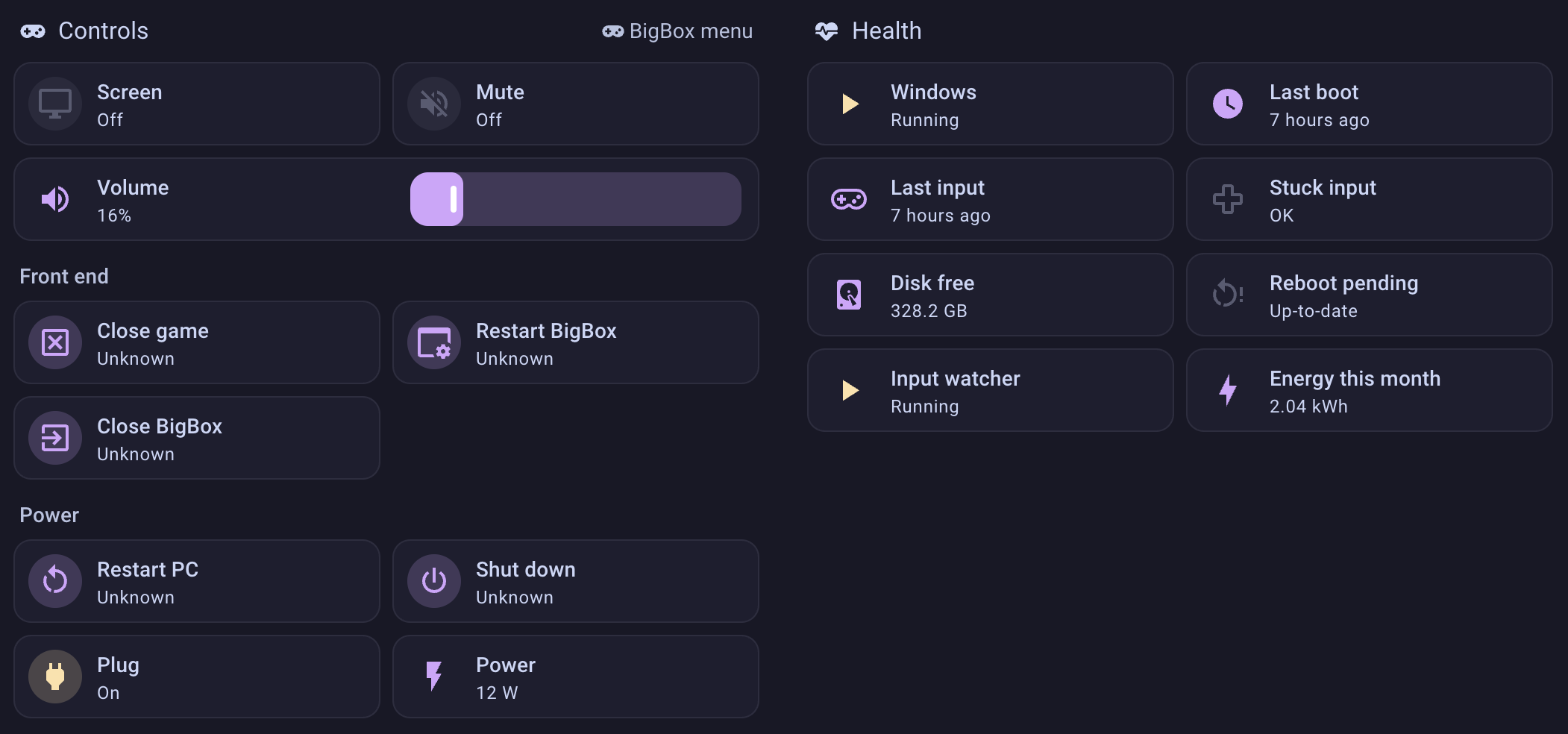
That 12 W is the cabinet idle with the screen blanked. It used to sit at 47 to 60.
Trust
Anything that can shut a PC down over MQTT deserves some suspicion, so I kept it boring. Commands are a fixed set. Retained MQTT messages are refused, so a stale “shutdown” can’t replay on reconnect. TLS checks certificates by default. Give each tool its own MQTT user and restrict who can publish to its topics.
Where they stand
Both are early, and they work on my cabinet.
- The plugin has run end to end on LaunchBox/BigBox 14.1.0.5 against Home Assistant’s Mosquitto broker over TLS.
- The agent needs Windows 10 or 11 on x64. Neither installer is code-signed, so SmartScreen may ask you to confirm.
- Neither is affiliated with or endorsed by Unbroken Software, who make LaunchBox.
Comments
Comments are GitHub Discussions and need a free GitHub account. Nothing is loaded from GitHub or giscus until you ask for it.