I’m frequently doing VM migrations, host migrations, or other work where I want an ad-hoc, at-a-glance report on whether what I’m migrating is done, up or down. Or whether I need to dust off my resume.
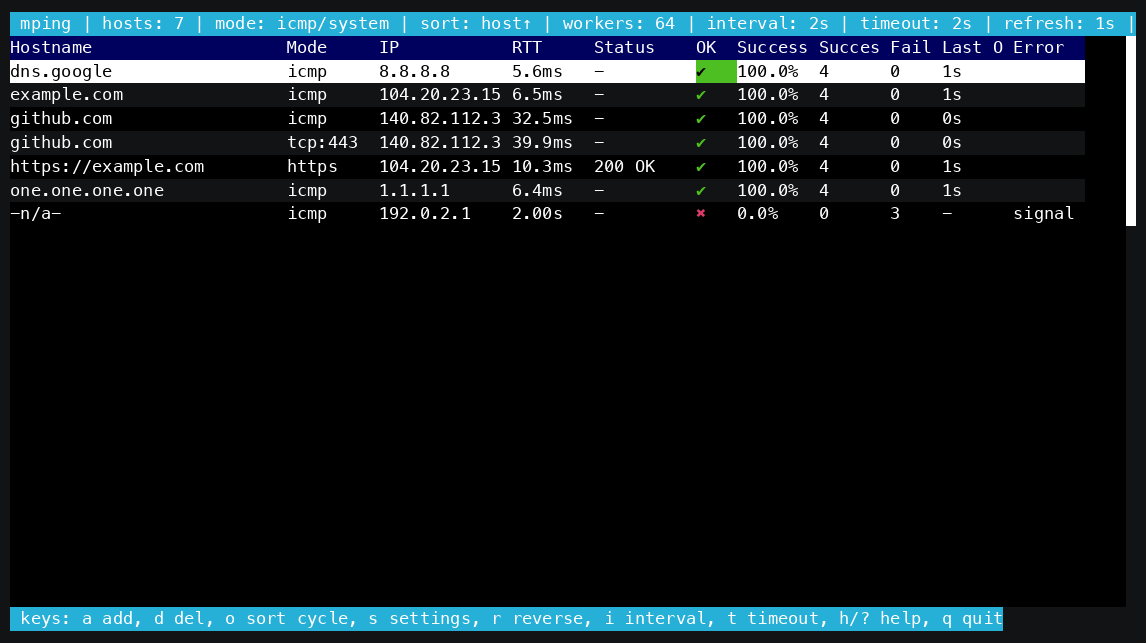
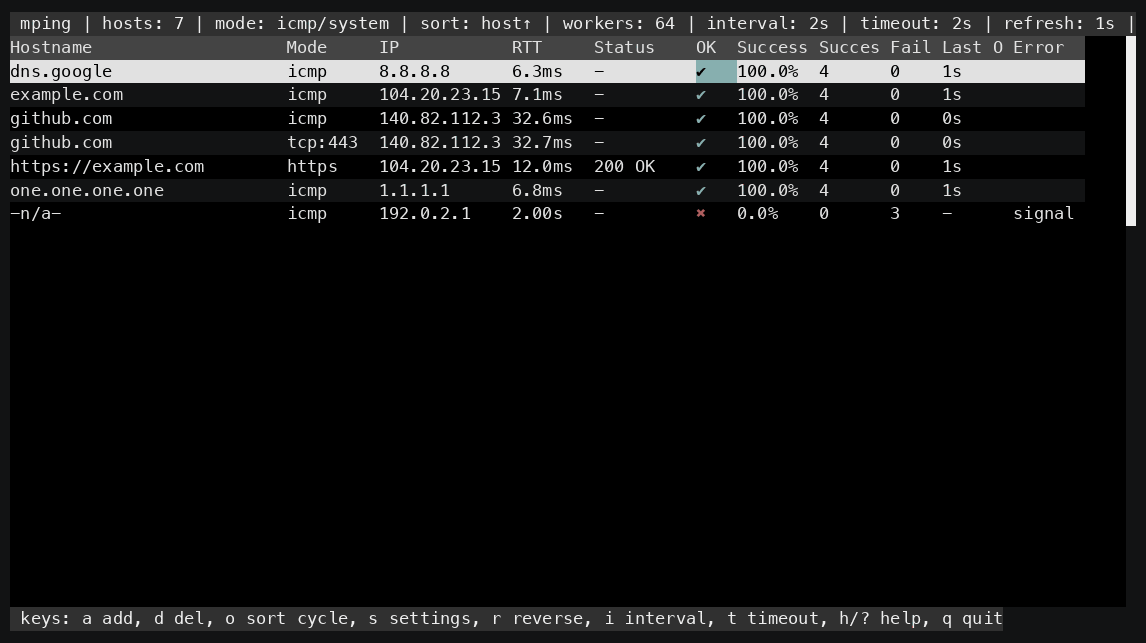
So I wrote mping, a terminal UI for watching a bunch of hosts at once. A TUI, because given the choice between a GUI and a TUI, I’ll take the TUI. Give it a list and it probes all of them concurrently, then shows each one’s status, round-trip time, success and failure counts, when it last answered, and the last error.
It isn’t limited to ping. Each host can be probed over ICMP, TCP, HTTP or HTTPS, so the same screen can tell you a router answers, a port is open, and a web page returns a 200.
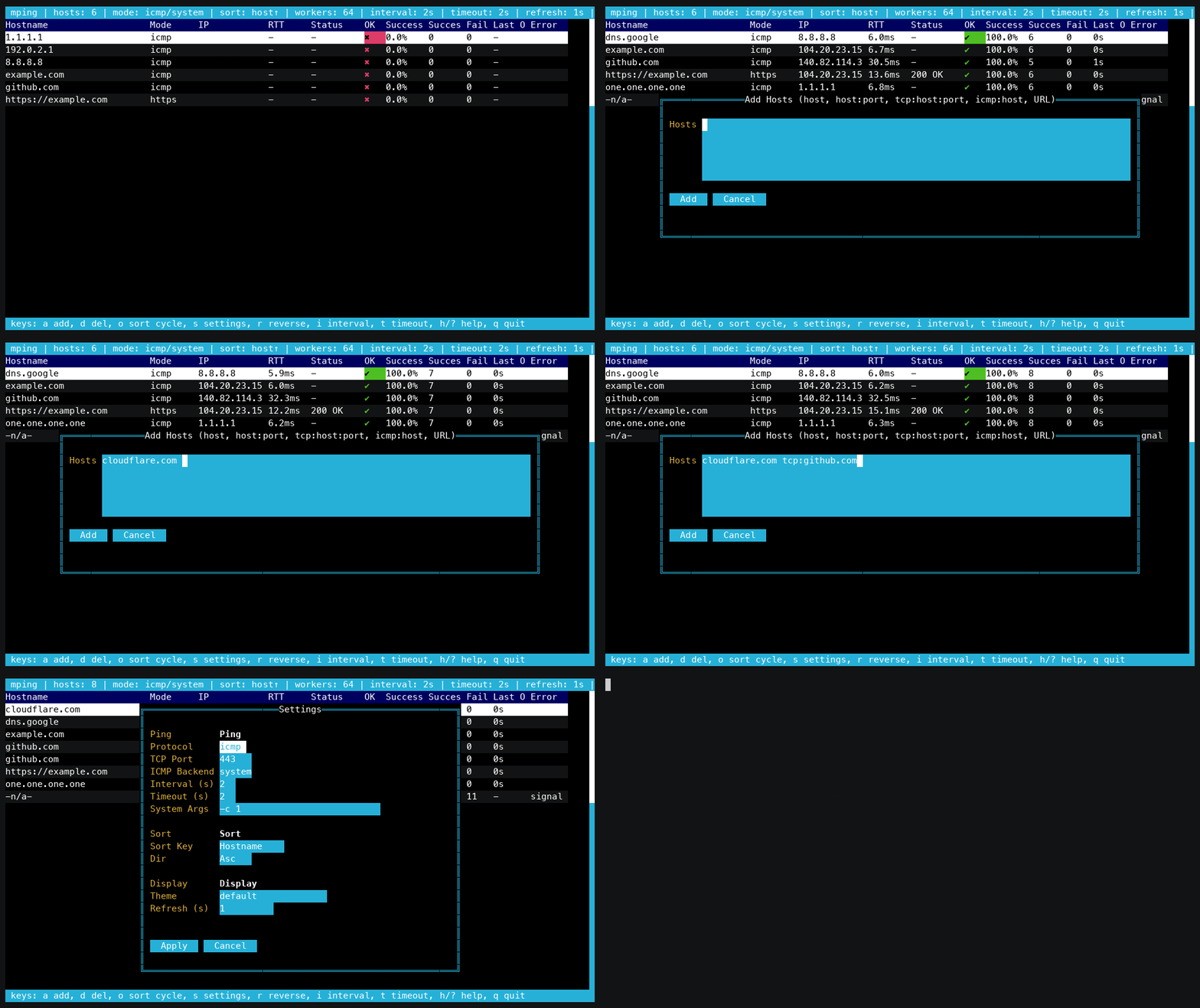
asciinema play.Using it
mping example.com 1.1.1.1
mping example.com tcp:api.example.com:8443 icmp:gateway.example.com
mping https://example.com/health
mping -f hosts.txt
Put one host per line in a file, or list them as arguments. Any entry can override
the protocol, like tcp:host:8443, or be a URL for an HTTP check.
Targets aren’t fixed, either. While it’s running, a adds hosts and d deletes the
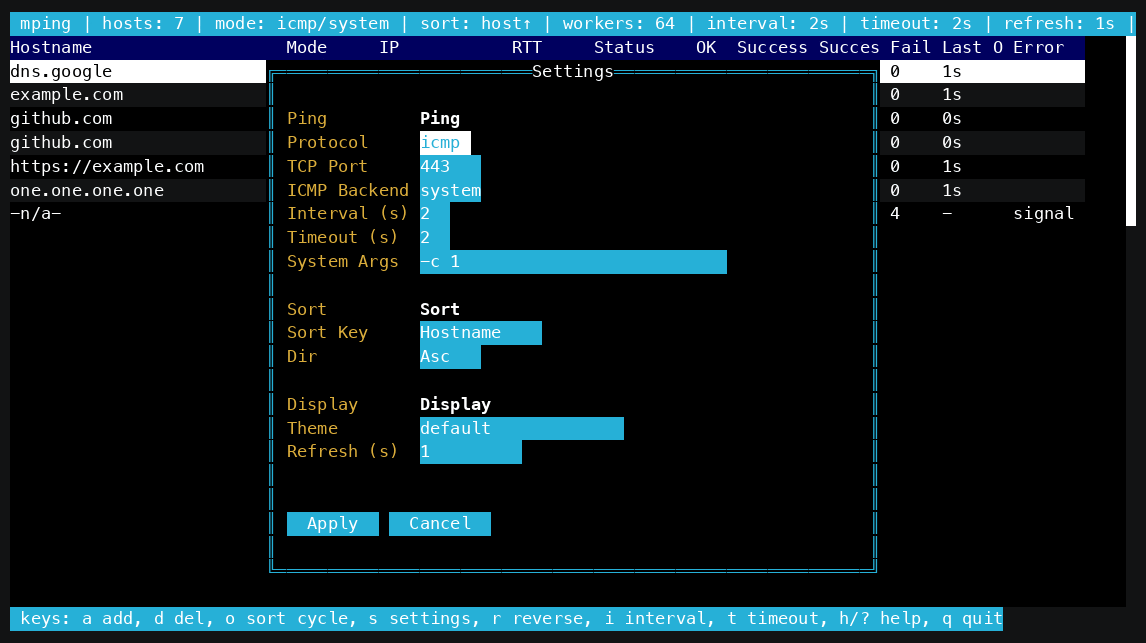
selected one, and s opens the settings (protocol, interval, timeout, sort order,
theme). o cycles the sort and q quits.
s.Themes
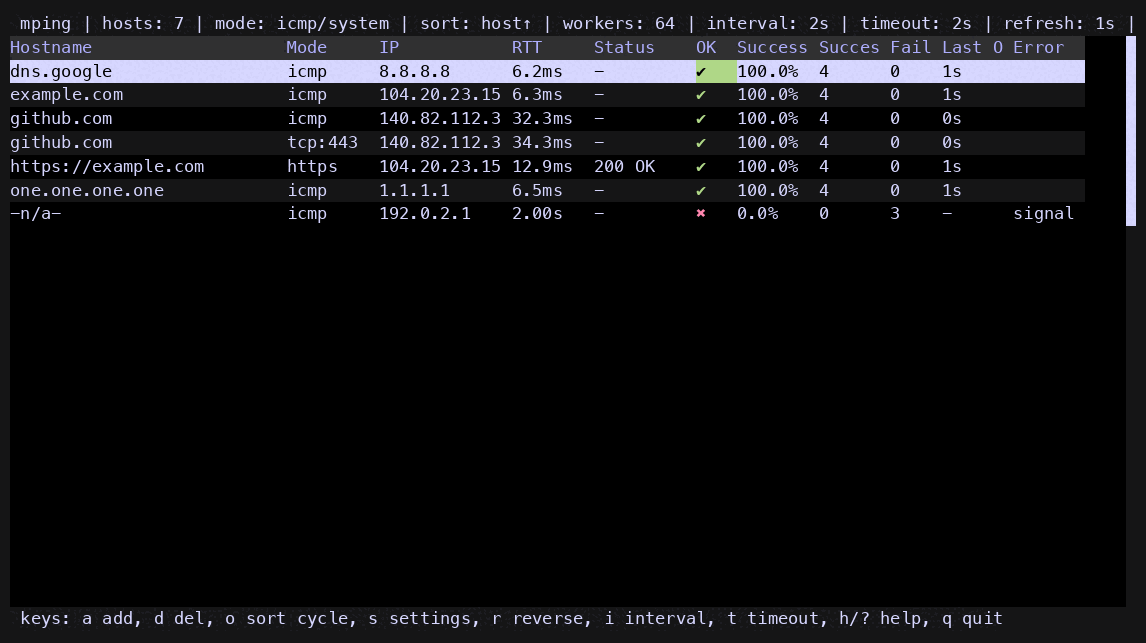
It ships with nine themes: default, Dracula, Nord, Solarized dark and light, and the
four Catppuccin flavors. A theme is a small text file of colors, or you can define
one inline in the YAML config. mping --list-themes shows what it found.
Getting it
Homebrew is the easy way. It builds from source, so it needs Go, which Homebrew will pull in:
brew tap dewab-org/custom && { brew trust --formula dewab-org/custom/mping 2>/dev/null || true; } && brew install dewab-org/custom/mping
Or take a tarball from the release page: Linux on amd64 or arm64, and macOS on Apple silicon. The binaries are statically linked.
Where it stands
The latest release is v0.2.0, from August. There’s no Intel Mac build, and nothing for Windows.
There’s also a SwiftUI desktop client, mping-mac, in its own repo. It’s new, and it has no release yet.
Comments
Comments are GitHub Discussions and need a free GitHub account. Nothing is loaded from GitHub or giscus until you ask for it.